
On this page
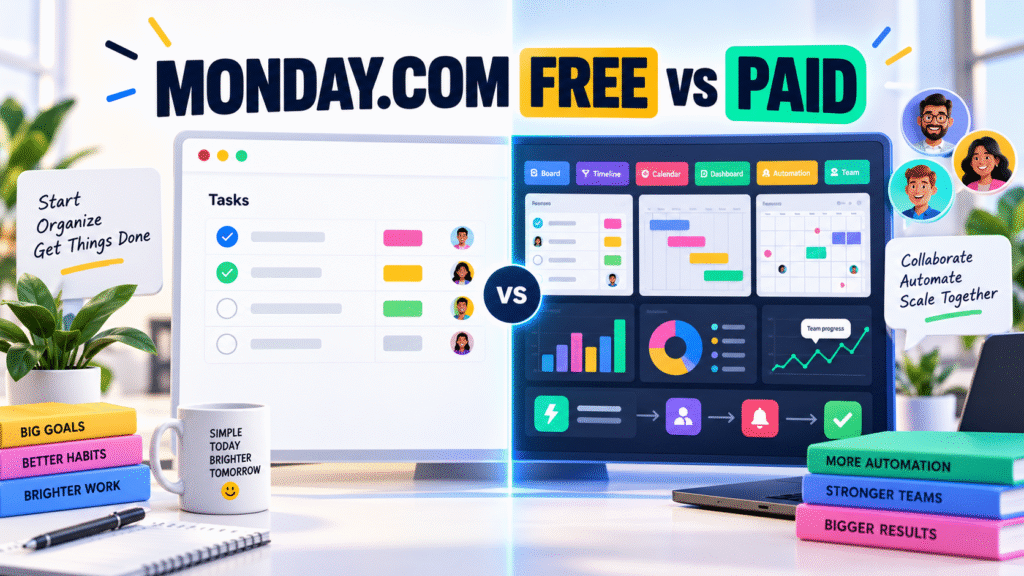
Monday.com Free vs Paid Plans: Features, Differences, Benefits and Which Plan Is Right for You?
Managing projects through disconnected spreadsheets, long email threads and separate messaging apps can quickly become confusing. Tasks get overlooked, deadlines become difficult to track and managers lose visibility into the progress of their teams.
Ready to organize your work with Monday.com?
Plan projects, automate routine tasks, collaborate with your team, and track progress from one flexible work management platform.
Explore Monday.com →Monday.com brings projects, tasks, documents, workflows and team communication into one flexible work management platform. Its colorful boards and customizable views make complex work easier to organize and understand.
You can begin with Monday.com’s Free plan, but growing teams may need the automation, integrations, reporting and advanced controls available in its paid plans.
This guide compares Monday.com’s Free, Basic, Standard, Pro and Enterprise plans so that you can choose the most suitable option for your work.
Disclosure: This article may contain affiliate links. If you purchase through these links, we may receive a commission at no additional cost to you.
Monday.com Free vs Paid: Quick Comparison
| Feature | Free | Basic | Standard | Pro | Enterprise |
|---|---|---|---|---|---|
| Price | $0 | From $9 per seat/month | From $12 per seat/month | From $19 per seat/month | Custom pricing |
| Maximum users | 2 seats | Paid team plan | Paid team plan | Paid team plan | Customized |
| Boards | Up to 3 | Unlimited items | Unlimited items | Unlimited items | Unlimited items |
| Workdocs | Up to 3 | Included | Included | Private boards and docs | Advanced controls |
| Templates | 200+ | 200+ | 200+ | 200+ | 200+ |
| Automations | Not included | Not included | 250 actions/month | 25,000 actions/month | Up to 250,000 actions/month |
| Integrations | Not included | Not included | 250 actions/month | 25,000 actions/month | Enterprise scale |
| Timeline and Gantt | Not included | Not included | Included | Included | Included |
| Calendar view | Not included | Not included | Included | Included | Included |
| Time tracking | Not included | Not included | Not included | Included | Included |
| Guest access | Not included | Not included | Included | Included | Included |
| Advanced reporting | Limited | Limited | Basic dashboards | Advanced views | Portfolio and resource management |
| Best for | Individuals and pairs | Small teams | Growing teams | Professional teams | Large organizations |
Displayed prices are starting prices per seat when billed annually. Taxes, promotions, country, team size and billing frequency may affect the final cost.
What Is Included in the Monday.com Free Plan?
Monday.com’s Free plan is designed for individuals, freelancers, students and pairs who need a simple visual system for organizing their work.
It supports up to two seats and includes up to three boards, three collaborative Workdocs, more than 200 templates, eight column types and access through iOS and Android applications.
A board can be used to manage tasks, content calendars, leads, personal projects or simple business processes. Users can assign owners, create status labels, add due dates and group related activities.
Important Benefits of the Free Plan
No subscription cost
The Free plan does not require a recurring payment, making it suitable for testing Monday.com before committing to a subscription.
Easy visual organization
Boards present tasks in a structured, colorful format. This is generally easier to understand than managing work through spreadsheets or scattered notes.
Professional templates
Users can start with ready-made templates for projects, marketing, content production, customer management and other workflows.
Mobile access
The Monday.com mobile applications allow users to review and update their work while away from their computers.
Collaborative documents
Workdocs combine text, checklists and live board information, helping two users plan and document their work in the same environment.
What Are the Limitations of the Free Plan?
The Free plan is useful for learning the platform, but it is intentionally limited.
Its two-seat restriction makes it unsuitable for most active teams. The limit of three boards can also become restrictive when you need separate spaces for clients, departments or multiple projects.
More importantly, the Free plan does not provide the automation and integration capacity needed to connect Monday.com with a larger business workflow. Advanced views such as Timeline and Gantt, guest access, time tracking, private boards and higher-level reporting require paid plans.
The Free plan is therefore best treated as a capable personal organizer or a testing environment—not a complete operating system for a growing business.
Monday.com Basic Plan: More Capacity for Small Teams
The Basic plan removes the Free plan’s board and item restrictions and introduces unlimited free viewers. Viewers can see account information without receiving editing permissions.
Monday.com currently advertises Basic from $9 per seat per month when billed annually. It also introduces a basic allocation of AI credits and tools, subject to Monday.com’s current terms.
Who Should Choose Basic?
Basic is suitable for small teams that need to organize a greater volume of work but do not yet require automation, integrations, Gantt charts or advanced reporting.
Its main advantage is capacity. Teams can build a larger workspace without being restricted to three boards. However, companies expecting to automate repetitive work will probably receive better long-term value from Standard.
Monday.com Standard Plan: The Best Balance for Growing Teams
Standard is where Monday.com begins to function as a connected workflow platform rather than simply a visual task manager.
It currently starts from $12 per seat per month when billed annually and includes the features of Basic, along with workflow tools, Timeline and Gantt views, Calendar view, guest access and increased API access.
Standard also includes up to 250 automation actions and 250 integration actions per month.
Why Automations Matter
Automations reduce repetitive administrative work. For example, Monday.com can automatically:
- Notify a manager when a task becomes overdue
- Assign a new task when its status changes
- Move completed work into another group
- Send reminders before important deadlines
- Update connected items after a project milestone
Even simple automations can prevent missed follow-ups and reduce the time spent manually checking boards.
Why Integrations Matter
Integrations connect Monday.com with other tools used by a business. Depending on the available integration, teams can coordinate activities involving email, communication, file storage, calendars and other business applications.
Instead of repeatedly transferring information between platforms, connected workflows can keep relevant updates in one workspace.
Guest Access for Client Collaboration
Standard introduces guest access, allowing external clients, freelancers or partners to access only the boards to which they have been invited. This makes it easier to collaborate without exposing the rest of the organization’s workspace.
For many growing companies, Standard offers the strongest balance between price and practical functionality.
Ready to organize your work with Monday.com?
Plan projects, automate routine tasks, collaborate with your team, and track progress from one flexible work management platform.
Explore Monday.com →Monday.com Pro Plan: Advanced Control and Reporting
The Pro plan is intended for teams managing more complex projects, larger automation volumes or performance-based operations.
It currently starts from $19 per seat per month when billed annually. It significantly increases automation and integration capacity to 25,000 actions per month for each category.
Pro also includes private boards and Workdocs, advanced board views, time tracking, advanced columns and greater API capacity.
Time Tracking
Built-in time tracking helps teams understand how long tasks and projects actually require. This is valuable for agencies, consultants, production teams and businesses that invoice clients based on time.
Managers can use this information to improve estimates, review workloads and identify activities consuming excessive resources.
Private Boards and Documents
Not every project should be visible to every account member. Private boards and documents allow selected team members to manage confidential financial, client, management or human-resources information.
Advanced Views and Columns
Advanced views transform board data into charts, graphs and other visual reports. Advanced columns support more sophisticated dependencies and calculations, making Pro more suitable for complex operational workflows.
Monday.com Enterprise: Governance at Organizational Scale
Enterprise is designed for large organizations requiring advanced security, permissions, support and cross-project visibility. Pricing is customized according to the organization’s requirements.
Its features include enterprise-grade security and governance, multi-level permissions, portfolio management, resource management, substantially higher automation and integration limits, expanded API capacity and enterprise support.
Portfolio management gives leadership a consolidated view of multiple projects. Resource-management tools help organizations evaluate capacity and distribute work more effectively across teams.
Enterprise customers can also receive tailored onboarding, training, enhanced support and a stated 99.9% uptime service-level agreement.
Free or Paid: Which Monday.com Plan Should You Choose?
Choose Free if you are an individual or part of a two-person team testing Monday.com with a small number of boards.
Choose Basic if your team needs more workspace capacity but can continue operating without automation, integrations and advanced project views.
Choose Standard if you need automations, integrations, Gantt and Calendar views or collaboration with external clients. This is likely to be the best starting point for many growing teams.
Choose Pro if your business requires time tracking, private boards, advanced reporting, complex workflows or considerably higher automation capacity.
Choose Enterprise if your organization needs advanced governance, portfolio management, resource planning, enterprise security and structured support.
Are the Paid Plans Worth the Cost?
The answer depends on how much time your team currently loses to manual coordination.
If employees repeatedly send reminders, copy information between systems, prepare progress reports or search through disconnected communication, automation and centralized visibility can provide meaningful value.
A paid plan will not automatically repair an inefficient process. Teams should first build clear boards, assign responsibility and establish consistent status definitions. Once that foundation is in place, Monday.com’s automations, integrations and reporting features can make those processes faster and more reliable.
Final Verdict
Monday.com Free is an excellent entry point for individuals and small partnerships. It provides the core visual board experience without requiring a subscription.
However, the most powerful benefits of Monday.com become available through the paid plans. Standard introduces the automation, integrations, project views and guest collaboration that growing teams commonly need. Pro adds serious operational capabilities such as time tracking, private workspaces and advanced reporting. Enterprise extends the platform with organization-wide governance and portfolio control.
For most small businesses and professional teams, Standard is the most balanced choice. Teams managing complex client work, reporting requirements or large automation volumes should consider Pro.
The best approach is to begin with a clearly defined workflow, test it using Monday.com and upgrade only when a paid feature will solve a genuine operational limitation.
Plan features, AI allowances and pricing may change. Review Monday.com’s current pricing page before purchasing.


Ready to organize your work with Monday.com?
Plan projects, automate routine tasks, collaborate with your team, and track progress from one flexible work management platform.
Explore Monday.com →